
Agendas are created inside each meeting workspace. There is no separate top-level Agendas & Minutes area in the current BoardSite navigation.
Before you begin: Create the meeting first. You also need permission to edit that meeting’s agenda.
Open the agenda #
- Open Meetings and select Upcoming or Past.
- Select the meeting title.
- In the meeting workspace, select the Agenda tab.
Add an agenda heading #
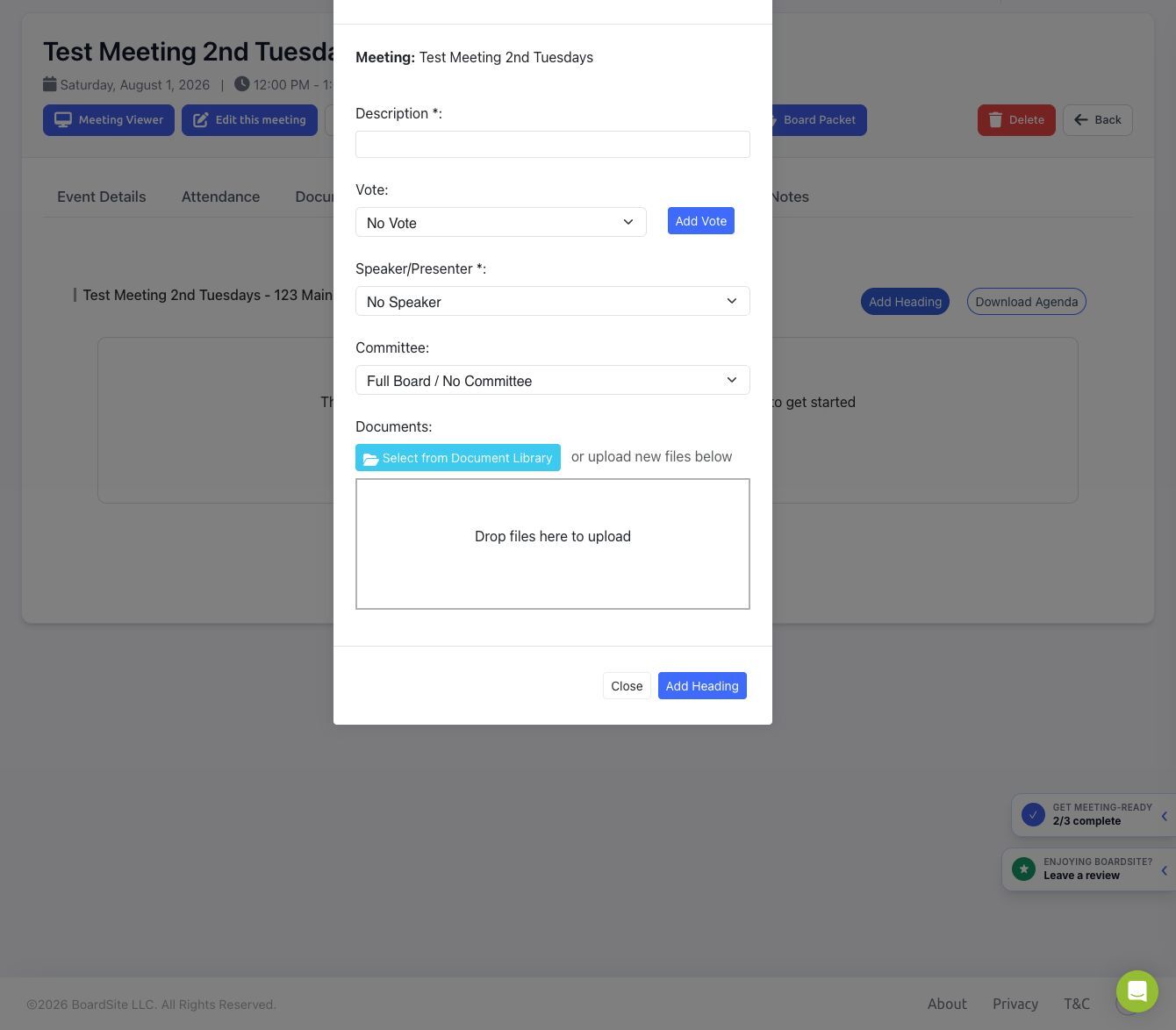
- Select Add Heading.
- Enter the agenda item description.
- Optional: link an existing vote or select Add Vote.
- Optional: choose a speaker or presenter.
- Optional: associate the item with a committee.
- Optional: select documents from the Document Library or upload new files.
- Select Add Heading to save the item.
Organize the agenda #
- Use the item controls to edit or remove a heading.
- Add a child item under an existing heading to create a subheading.
- Use the move controls to reorder items. Available controls depend on the item’s current position.
- Select Download Agenda when you need a downloadable copy.
Change the agenda status #
- Select Change Status on the Agenda tab.
- Choose Draft, Published, or Approved.
- Optional: select the email-notification option. Notifications are sent only to members who can access the meeting.
- Select Change.
- Draft: keeps the agenda in preparation and limits member visibility.
- Published: makes the agenda visible to permitted meeting participants.
- Approved: records that the agenda has been approved and prevents ordinary future editing.
Committee meetings: Visibility and status notifications are limited to people who have access to the committee meeting.
Troubleshooting #
- If the Agenda tab is visible but editing controls are missing, ask an administrator to review your meeting and agenda permissions.
- If a document is missing from the library picker, confirm that you can access its folder or committee.
- If members cannot see the agenda, check both the agenda status and the meeting’s status and visibility.


