
A recurring meeting template creates future meeting drafts on a schedule. Use it for regular board or committee meetings that share the same basic details.
Before you begin: You need permission to create meetings. A recurring template creates drafts in advance; review each occurrence before publishing it.
Create a recurring template #
- Open Meetings and select Upcoming, Past, or Recurring Templates.
- Select Add Recurring Meeting. If you start from Add Event, choose Create Manually.
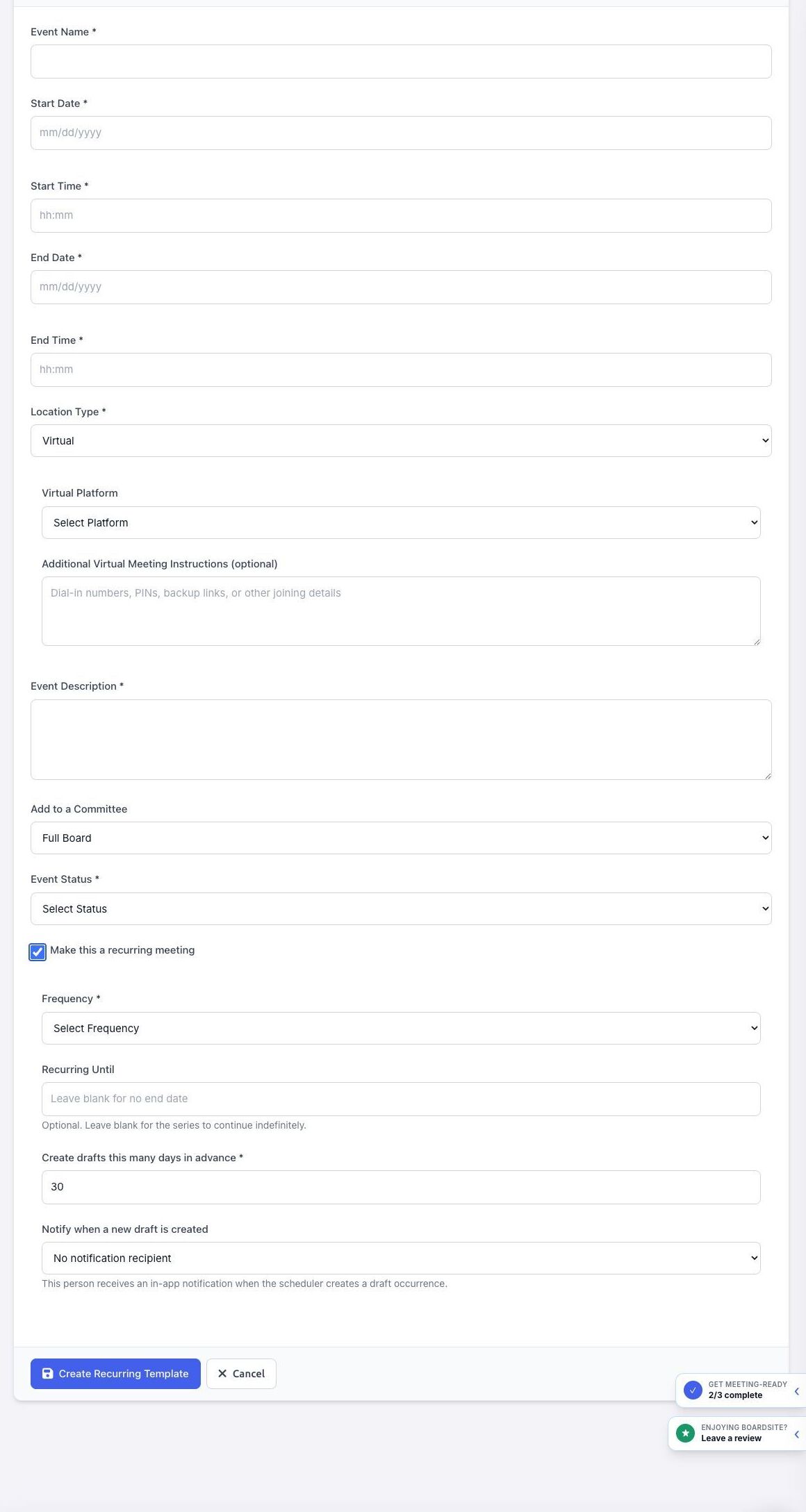
- Enter the event name, the first start and end dates and times, location, description, committee, and status.
- Select Make this a recurring meeting.
- Choose the Frequency: Weekly, Every other Week, Monthly, Every other Month, Quarterly, Every 6 months, or Annual.
- For Monthly or Every other Month, choose whether to repeat on a specific day of the month or on a relative weekday such as the first Monday or last Friday.
- Optional: enter Recurring Until. Leave it blank if the series should continue without a set end date.
- Set Create drafts this many days in advance. The default displayed by BoardSite is 30 days.
- Optional: choose a person under Notify when a new draft is created. That person receives an in-app notification when the scheduler creates an occurrence.
- Review the template and select Create Recurring Template.
Manage the series #
- Open Meetings → Recurring Templates to view the templates available to you.
- Open an occurrence and use Edit this meeting to change that occurrence only.
- Use Edit recurring template to change the series settings used for future drafts.
- Review each generated draft’s date, location, agenda, documents, and status before publishing it.
Important: Changing one meeting does not necessarily change the recurring template. Choose Edit recurring template when the ongoing cadence or shared details must change.
Troubleshooting #
- If no new occurrence appears, check the frequency, end date, and draft lead time on the template.
- If nobody receives a draft notification, confirm that a notification recipient is selected on the template.
- If you cannot edit the series, ask an administrator to review your meeting permissions.


