
Eligible board or committee members can review open votes and respond Yes, No, or Abstain before the deadline.
Find votes that need your response #
- Sign in to the correct BoardSite organization.
- On the dashboard, look under Priority Actions for a card labeled Vote Due, then select Vote Now.
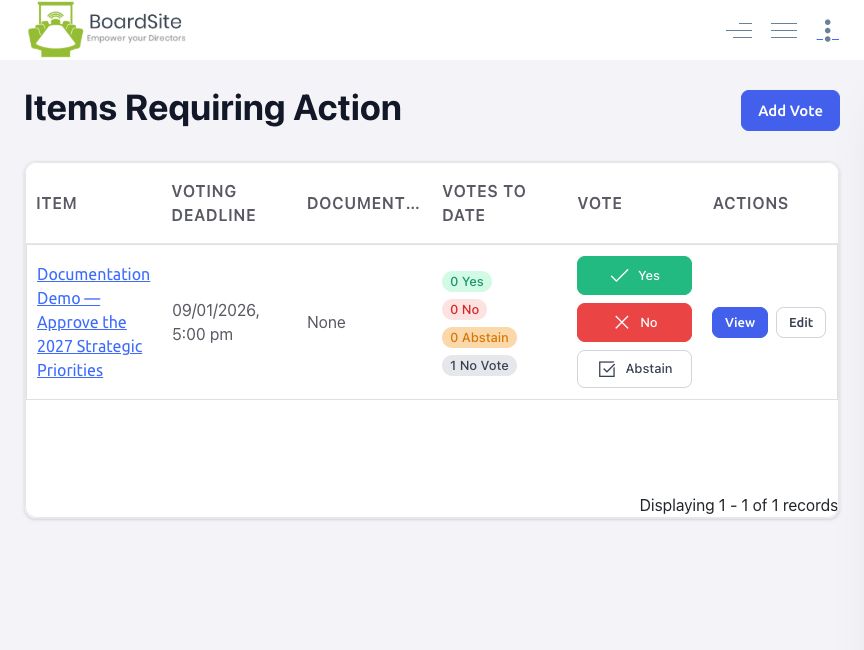
- If the vote is not shown on your dashboard, open Votes → Items Requiring Action.
- Open the vote you want to review.
Dashboard tip: Priority Actions can show the vote title and how many days remain before its deadline. The card disappears after you respond or when the vote closes.
Review and submit your vote #
- Read the vote description, additional details, deadline, and attached documents.
- Under Your Vote, select Yes, No, or Abstain.
- Confirm that Your Vote displays the response you selected.
- While the vote remains open, the detail page may let you change your response by selecting one of the other choices.
Review previous votes #
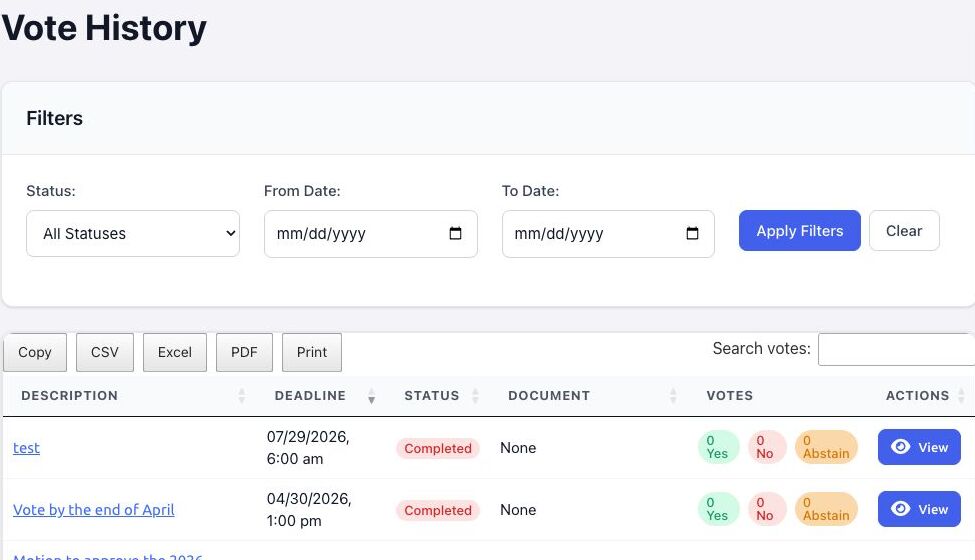
- Open Votes → Vote History.
- Filter by status or date range, or search by description.
- Select View to review a vote’s details and the result information available to your role.
If you cannot vote #
- Confirm that the deadline has not passed.
- Confirm that you are in the full-board or committee audience for the vote.
- Your role may be non-voting or may not include access to that committee.
- If the vote should be available, ask an administrator or vote manager to confirm its audience and your effective permissions.


